
Vector-to-fashion AI converts SVG logos and vector graphics into scalable 2D apparel prints and marketing visuals using Smart Decal, Image to Vector, and Embroidery tools. These AI-powered workflows eliminate physical sampling, reduce design cycles from weeks to hours, and enable e-commerce brands and designers to visualize branding on garments instantly without 3D modeling expertise or expensive photoshoots.
Check: Graphic Merge
What Is Vector-to-Fashion AI and Why Does It Matter for E-Commerce Brands?
Vector-to-fashion AI refers to tools that transform scalable vector graphics like SVGs and logos into professional 2D apparel prints, decals, and design visuals for garments, enabling rapid branding without complex software skills. For e-commerce brands, it accelerates marketing image creation, cuts prototyping costs, and supports scalable visuals for campaigns and product pages.
In today’s fast-paced fashion industry, graphic designers and e-commerce teams often start with flat 2D assets such as logos or icons created in tools like Adobe Illustrator. These vectors are infinitely scalable, maintaining crisp quality at any size, which makes them ideal for branding. However, applying them to clothing designs traditionally requires manual mockups or physical samples, leading to delays and high costs.
Vector-to-fashion AI changes this by automating the placement and adaptation of vectors onto 2D garment images. Platforms like Style3D AI specialize in this, offering tools that handle decal application, color matching, and texture integration seamlessly. This matters for e-commerce brands because it allows quick generation of product mockups, lookbooks, and social media assets. Independent designers can iterate on branding elements like logos on t-shirts or embroidery on jackets in minutes, not days.
The rise of sustainability in fashion further amplifies its importance. By skipping physical prototypes, brands reduce waste while producing high-fidelity 2D visuals that convert better in online stores. For teams handling apparel campaigns, these tools mean consistent, professional outputs without hiring specialists.
How Do You Convert SVG Logos and Vector Graphics into Apparel Prints Using AI?
To convert SVG logos into apparel prints, upload the vector graphic to an AI decal tool, select a garment image, adjust placement and colors, then generate a realistic 2D mockup. AI handles scaling, texture matching, and print visualization in seconds, ready for e-commerce or marketing use.
The process is straightforward and accessible even for beginners. Start by preparing your SVG file—ensure it’s clean with simple paths for optimal AI recognition. In Style3D AI’s Smart Decal tool, upload the graphic alongside a target garment design image. The AI analyzes the vector, suggests placements like chest logos or sleeve patches, and applies it while preserving fabric folds and lighting.
Next, refine with built-in editors: recolor the decal to match brand palettes, resize without distortion, or blend edges for a seamless look. Generate variations by testing patterns or textures. For advanced workflows, use Decal Extraction to pull existing prints from reference images, then merge with your SVG via Decal Merge.
This method supports real-world use cases like creating limited-edition tees with custom icons or branding sportswear lines. E-commerce teams love it for batch-producing mockups, while fashion students use it for portfolio pieces. No design software expertise needed—just drag, drop, and download high-res images.
| Step | Action | Tool in Style3D AI | Output |
|---|---|---|---|
| 1 | Upload SVG/logo | Smart Decal | Graphic ready for placement |
| 2 | Select garment base | Smart Decal | Positioned decal preview |
| 3 | Edit color/texture | Decal Color Palette | Customized print |
| 4 | Generate mockup | Smart Decal | 2D apparel design image |
Which Style3D AI Tools Transform Vectors into Scalable 2D Fashion Designs?
Check: AI Knitting Pattern Generator: How Innovative Algorithms Are Reshaping Modern Crafting
Style3D AI’s Smart Decal, Image to Vector, Style to Sketch, and Embroidery tools convert vectors into scalable 2D fashion designs by applying graphics to garments, generating vector outputs from images, and creating production-ready prints—all without 3D workflows.
Style3D AI stands out as a 2D fashion design and marketing visualization platform with specialized suites for handling vectors. In the InnoStyle suite, Smart Decal edits and places vector-based prints on garments, while Embroidery transforms artwork into textured visuals like patches. Image to Vector in the AI Tools suite converts raster fashion sketches or designs into editable SVGs, perfect for scaling logos across collections.
Style to Sketch turns garment photos into clean line drawings with vector output support, ideal for technical flats. These tools integrate seamlessly: extract a logo pattern with Decal Extraction, vectorize it, then apply via Smart Decal. Fashion brands use this for consistent branding across e-commerce visuals, while agencies produce campaign assets rapidly.
With a free tier offering 50+ images on login—no credit card required—testing is risk-free. Credits scale affordably for pros, making it viable for students to enterprise teams.
How Can Smart Decal Help You Apply Vector Graphics to Garment Mockups Instantly?
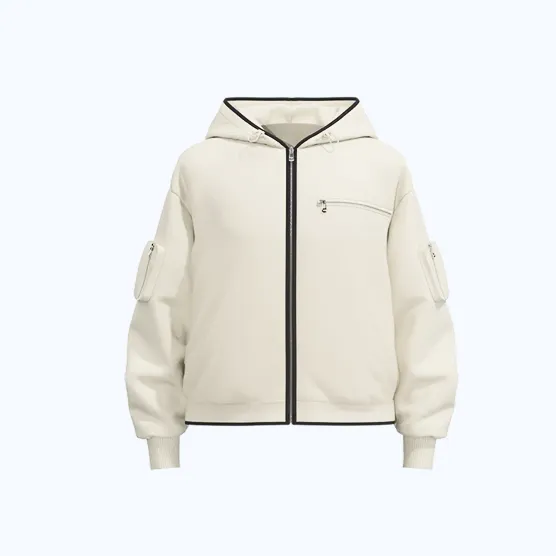
Smart Decal in Style3D AI lets you upload vector graphics, place them on garment images, edit colors and patterns, and generate instant 2D mockups with realistic texture integration, streamlining branding for apparel marketing without manual editing.
Smart Decal is a game-changer for graphic designers applying SVGs to clothing. Upload your logo, select a base garment from Style3D AI’s generation tools or your library, and drag to position. AI ensures the print wraps naturally around curves, maintains repeatability for patterns, and matches lighting.
Recolor with Decal Color Palette for unlimited variants, or merge elements via Decal Merge for complex designs. Outputs are high-res 2D images ready for virtual try-on in StyleNext or e-commerce uploads. Use cases include logo placement on hoodies for dropshipping or custom graphics on activewear lines.
Compared to manual Photoshop work, it saves hours per design. E-commerce teams report faster time-to-market, with visuals that boost conversion rates through professional polish.
What’s the Difference Between Vector Conversion and Traditional 3D Garment Modeling?
Vector conversion uses AI to place scalable 2D graphics on flat garment images for quick marketing visuals, while traditional 3D modeling builds volumetric simulations requiring pattern-making and rendering expertise—2D is faster and cheaper for branding mockups.
Vector-to-2D workflows focus on surface-level application: SVGs become prints on pre-rendered garment flats, ideal for non-technical users. No need for sewing patterns or physics simulations. Traditional 3D involves full garment construction, draping, and multi-angle views, suiting production but demanding skills and time.
Style3D AI excels in 2D speed—generate a logoed t-shirt mockup in seconds versus hours in 3D software. For e-commerce, 2D suffices for 90% of visuals, saving on hardware and training. Use 2D for ideation and campaigns; reserve 3D for fit testing.
How Does Image to Vector Create Production-Ready Line Sheets from Fashion Designs?
Image to Vector in Style3D AI converts raster garment images or sketches into scalable SVG files, enabling clean line sheets for production with editable paths—perfect for iterating vector-based designs into professional tech packs.
This utility scans images, traces outlines, and outputs vectors preserving details like seams and darts. Pair it with Style to Sketch for garment-to-flat conversion, then refine in vector editors. Fashion students create line sheets from concepts; brands update collections scalably.
Benefits include infinite resizing for print or web, plus easy export for manufacturers. Integrate with Smart Decal for branded versions, streamlining from design to delivery.
Can You Use Vector Embroidery Tools to Visualize Custom Prints Without Sampling?
Yes, Style3D AI’s Embroidery tool transforms vector artwork into realistic 2D embroidery, patch, or textured print visuals on garments, allowing instant prototyping and color testing without physical samples or embroidery machines.
Upload your SVG, add prompts for stitch effects or textures, and apply to a garment base. AI simulates thread density and sheen, outputting marketing-ready images. Use for jacket patches or cap logos, visualizing variants quickly.
This cuts sampling costs by 70-80% for many brands, enabling sustainable design cycles. Combine with Color Replacement for full customization.
How Much Does Vector-to-Fashion AI Cost Compared to Physical Prototyping?
Style3D AI’s free tier provides 50+ images; paid generations cost 4-20 credits each (affordable packs start low), versus $50-200 per physical prototype—AI saves 90%+ on costs and weeks in turnaround for vector workflows.
Physical sampling involves fabric, labor, and shipping; AI delivers unlimited digital tests instantly. Style3D AI’s credit system scales: free for starters, pro plans for volume.
| Option | Cost per Design | Time | Scalability |
|---|---|---|---|
| Style3D AI (Free Tier) | $0 (50+ images) | Seconds | Unlimited variants |
| Style3D AI (Paid) | $0.50-2 equiv. | Minutes | High-volume |
| Physical Prototype | $50-200 | 1-4 weeks | Low (per sample) |
Style3D AI Expert Views: “As fashion shifts to digital-first, tools like Smart Decal and Image to Vector empower designers to integrate branding seamlessly into 2D visuals. We’ve seen e-commerce teams cut mockup time by 80%, producing campaign-ready assets without samples. Embroidery visualization bridges creativity and production, making pro results accessible to independents.” — Style3D AI Product Lead
Conclusion
Vector-to-fashion AI via Style3D AI revolutionizes how designers and brands create scalable 2D apparel visuals. From Smart Decal placements to vector conversions, these tools deliver efficiency, cost savings, and professional outputs for e-commerce success. Start free today at Style3D AI and transform your workflows.
FAQs
Is there a free AI fashion vector editor? Yes, Style3D AI offers 50+ free images on login, including Image to Vector and Smart Decal for instant use, no card required.
Best AI for SVG to apparel print? Style3D AI’s Smart Decal excels, with texture-accurate placement and editing for realistic 2D mockups.
Can I convert logos to garment decals with AI? Absolutely—upload to Smart Decal, position on garments, and generate branded visuals in seconds.
How does vector embroidery AI work? Upload artwork to Embroidery tool, apply effects, and visualize on 2D garments without sampling.
AI logo on clothing mockup free trial? Style3D AI provides free access to decal and vector tools for testing apparel branding instantly.