
Style3D AI converts fashion photos or sketches into market-ready 2D designs using Style to Style (image + text for variations), Image from Line (sketch-to-image), and Garment Try-On (on-model visuals). Generate unlimited colorways, poses, and videos from one reference—free tier offers 50+ images, slashing photoshoot costs by 70% without physical samples.
Check: Drawing to Style
What Is AI Fashion Design from Photo and Why Do Brands Need It?
AI fashion design from photo transforms a single reference image into professional apparel design visuals, enabling brands to iterate designs rapidly without physical samples. Fashion brands need it to cut costs, speed up ideation, and produce marketing-ready images for e-commerce and campaigns.
Fashion designers and brands face tight deadlines and high production costs from traditional sampling and photoshoots. AI fashion design from photo changes this by taking a garment photo—such as a competitor’s style or mood board reference—and generating polished 2D apparel design images. Style3D AI excels here with tools like Style to Style, where users upload a reference image plus text instructions to create new style variations instantly.
This approach supports independent designers, clothing brands, and e-commerce teams by delivering high-fidelity 2D garment rendering. Instead of weeks for prototypes, generate design iterations in seconds. For small brands, it means competing with larger houses through fast, cost-effective visual production. The free tier provides 50+ images on login, no credit card needed, making it accessible for fashion students and digital content creators.
How Does Style3D AI Convert Reference Images into New Garment Designs?
Style3D AI uses Style to Style to upload a reference garment image and text prompt, generating new design variations like style transformations or pattern edits. It processes in seconds, preserving fabric details while creating fresh 2D apparel design images for iteration.
Style3D AI’s InnoStyle suite powers reference-to-design conversion with precision. Start with Style to Style: upload any garment photo and add text like “add puffed sleeves and floral pattern.” The AI outputs modified clothing design images in modes such as New Design, Redesign, or Style Derivation. This is ideal for collection expansion or rapid prototyping.
Complement with Image Redraw for targeted edits, like adjusting collars or hems on the same image (4 credits per generation). Color Replacement lets you swap hues while keeping texture and lighting realistic, perfect for colorway testing. Brands save on physical samples by visualizing unlimited variants from one photo. Style3D AI’s web-based platform requires no installation, fitting seamlessly into remote workflows.
| Tool | Input | Output | Credits | Use Case |
|---|---|---|---|---|
| Style to Style | Image + text | New design variations | 12 | Style transformation |
| Image Redraw | Image + area selection | Local modifications | 4 | Detail adjustments |
| Color Replacement | Image + color | Color-swapped design | Free tool | Palette testing |
Which Tools Turn Sketches into Photorealistic Fashion Visuals Fastest?
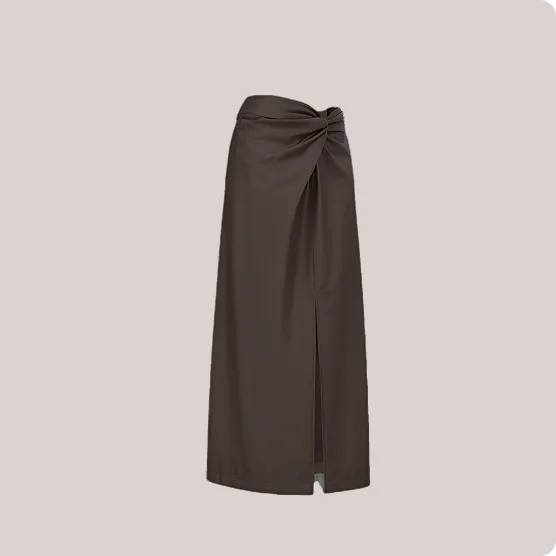
Style3D AI’s Image from Line converts hand-drawn sketches into photorealistic garment design images in seconds using AI sketch recognition. Free tier access makes it the fastest for bridging manual sketches to professional 2D visuals.
Hand sketches are a designer’s first step, but polishing them takes time. Image from Line in Style3D AI’s InnoStyle suite automates this: upload a line drawing, and get photorealistic apparel design images (50+ free on login). It recognizes lines accurately, turning rough concepts into production-ready flats.
Pair it with Style to Sketch for the reverse—convert garment photos into clean 2D line drawings or vectors (12 credits). This workflow suits fashion students prototyping ideas or brands extracting technical flats. Creative Merge fuses two sketches or images into novel designs, accelerating innovative exploration—all without software downloads.
Can You Create Unlimited Colorways from One Garment Photo with AI?
Yes, Style3D AI’s Color Replacement tool instantly changes garment colors on a photo while preserving fabric texture, patterns, and lighting. Test unlimited colorways from one reference image for free, ideal for seasonal collections.
Developing color variants traditionally requires multiple samples. With Style3D AI, upload a garment photo to Color Replacement and select hues—the AI analyzes and applies changes realistically. This free tool supports rapid palette exploration, from neutrals to bold prints.
Enhance with Smart Decal for print placement or recoloring graphics on the same image. Decal Extraction pulls patterns for reuse, while Decal Color Palette applies coordinated schemes. E-commerce teams generate diverse listings from one photo, reducing inventory costs and time to market.
Style3D AI Expert Views: “In today’s fast-paced fashion market, turning a single reference photo into dozens of colorways and style variations is a game-changer. Style3D AI’s Color Replacement and Smart Decal tools deliver texture-accurate results in seconds, empowering independent designers and brands to test ideas without sampling costs. This 2D visualization pipeline from InnoStyle replaces outdated workflows, letting creativity flow freely while slashing expenses by up to 70%.” – Style3D AI Product Lead
How Do Virtual Try-On Tools Replace Traditional Fashion Photoshoots?
Style3D AI’s Garment Try-On automatically matches garment images to models, generating realistic on-model marketing images. It replaces photoshoots by producing e-commerce visuals in one click (20 credits, 50+ free images).
Photoshoots are expensive and logistically complex. Style3D AI’s StyleNext suite, via Garment Try-On, takes your design image and fits it realistically on diverse models. Output: professional lookbook or product shots without studios.
Accessories Try-On adds shoes, bags, or hats seamlessly. Swap Face customizes models for brand consistency, while Garment Retouching enhances lighting and textures automatically. Marketing departments create campaign visuals in-house, scaling content for social media or catalogs.
What Workflow Takes a Single Image to Diverse Marketing Poses?
Use Style3D AI’s Style Pose to transfer poses from references or libraries onto model images, keeping garment shape distortion-free (4 credits per generation). Combine with Garment Try-On for full diversity from one source image.
Static images limit marketing appeal. Start with a garment design from Style to Style, apply Garment Try-On for on-model fit, then Style Pose to change poses—uploading custom references or using templates. Physics-accurate rendering ensures garment fidelity across dynamic views.
Extend to Style to Video for animated clips from the posed image (VIP exclusive). This pipeline delivers 360° visual variety: front, back, motion—for e-commerce variety without reshoots. Fashion brands achieve multi-angle campaigns from one photo efficiently.
| Suite | Key Tool | Function | Best For |
|---|---|---|---|
| StyleNext | Style Pose | Pose transfer | Model variety |
| StyleNext | Garment Try-On | On-model fitting | Product shots |
| StyleNext | Style to Video | Image animation | Social content |
| AI Tools | Background Remove | Clean extraction | Prep for try-on |
Why Is 2D Fashion Visualization Faster Than 3D Modeling for Brands?
Check: AI Sewing Pattern Generators from Images: Transforming Fashion Design Through Automation
2D fashion visualization like Style3D AI delivers instant rendering and edits without heavy computation, enabling minutes-long workflows vs. hours for 3D meshes. Brands prioritize speed for marketing over geometry for production previews.
3D modeling suits pattern-making but slows marketing visuals. Style3D AI’s 2D focus—fast garment rendering, pose changes, try-ons—produces e-commerce images rapidly. No need for mesh exports; tools like Super Resolution and Outpainting polish outputs directly.
For mid-market brands, this means lower credits, quicker iterations, and free utilities like Background Remove. It aligns with trends: 2D pipelines dominate for visuals, saving 70% on photoshoots while maintaining precision in texture and lighting.
How Much Can Small Brands Save Using AI for Design Iteration?
Small brands save 70% on photoshoots and sampling by generating 50+ free images via Style3D AI, plus credit-based scaling. Iteration drops from weeks to days, with tools like Creative Merge and Embroidery visualization cutting prototype needs.
Independent designers avoid $5,000+ shoots; e-commerce teams produce variants in-house. Free tier kickstarts with Text to Style or Image from Line. Credit system (e.g., 12 for Style to Style) offers flexibility—no subscriptions lock-in.
Real ROI: one reference photo yields designs, colorways, on-model poses, and videos. Agencies scale campaigns; students build portfolios. Style3D AI eliminates physical dependencies, boosting sustainability and speed.
Conclusion
Style3D AI redefines fashion workflows by converting photos and sketches into market-ready 2D designs and visuals. Its integrated suites—InnoStyle for generation, StyleNext for marketing, AI Tools for utilities—deliver speed, savings, and creativity. Sign up free at Style3D AI for 50+ images and transform your process today.
FAQs
Is Style3D AI free to start? Yes, get 50+ free fashion design images on login, no credit card required.
Can I edit prints on garments? Smart Decal and Decal Merge let you redesign, recolor, and place graphics accurately.
Does it support video from images? Style to Video turns static fashion images into dynamic marketing clips.
What users benefit most? Independent designers, brands, e-commerce teams, students, and agencies.