
Best AI T-Shirt Design Tool for Custom T-Shirts in 2026
Looking for the best AI T-shirt design tool in 2026? Learn how to create custom T-shirt graphics, choose shirt styles, and preview designs on models with Style3D AI.

Custom T-shirts are no longer just simple graphics placed on a blank shirt. For designers, small clothing brands, ecommerce sellers, and print-on-demand creators, a good T-shirt design needs to look wearable, marketable, and ready to present before moving into sampling or selling. That is why more creators are turning to AI T-shirt design tools to generate ideas faster, test more visual directions, and preview how a design might look on a real person.
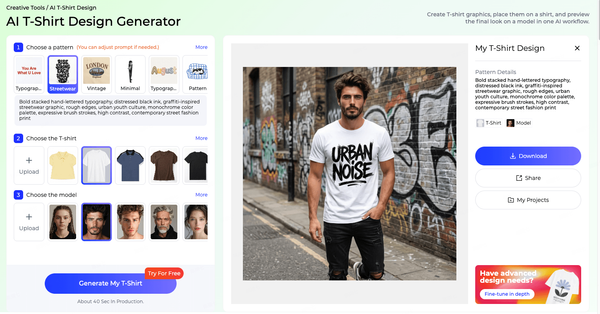
But not every AI T-shirt design generator works the same way. Many tools only create flat graphics or basic mockups, which can make it hard to judge the final product. Style3D AI offers a more complete workflow: you can generate T-shirt graphics, choose a T-shirt style, and create an on-model preview in one place. For anyone who wants to design custom T-shirts online in 2026, this kind of end-to-end visual workflow can save time and make design decisions easier.
What Makes a Good AI T-Shirt Design Tool?
The best AI T-shirt design tool should help you move from an idea to a realistic visual without starting from a blank canvas. A simple graphic generator may be enough if you only need artwork inspiration, but custom T-shirt design often requires more context. You need to see how the graphic works with the shirt shape, color, fit, styling, and model.
A useful AI T-shirt maker should support several key steps:
- Generate T-shirt graphics from prompts or templates
- Offer multiple design styles such as streetwear, vintage, minimal, logo, mascot, sports, or typography
- Let users choose a T-shirt type, fit, or garment reference
- Create a preview that shows the design on a shirt
- Support model-wearing visuals for better product evaluation
- Help designers, sellers, and creators test ideas quickly before committing to production
This is where Style3D AI T-shirt design generator stands out. Instead of stopping at a flat image, it helps users see the T-shirt as a product visual.
Why Style3D AI Is More Than a Basic AI T-Shirt Generator
Most AI T-shirt makers focus on one part of the workflow: creating a graphic. That can be useful, but it often leaves users needing another tool for mockups, another platform for model images, and more manual editing before the design feels presentable.
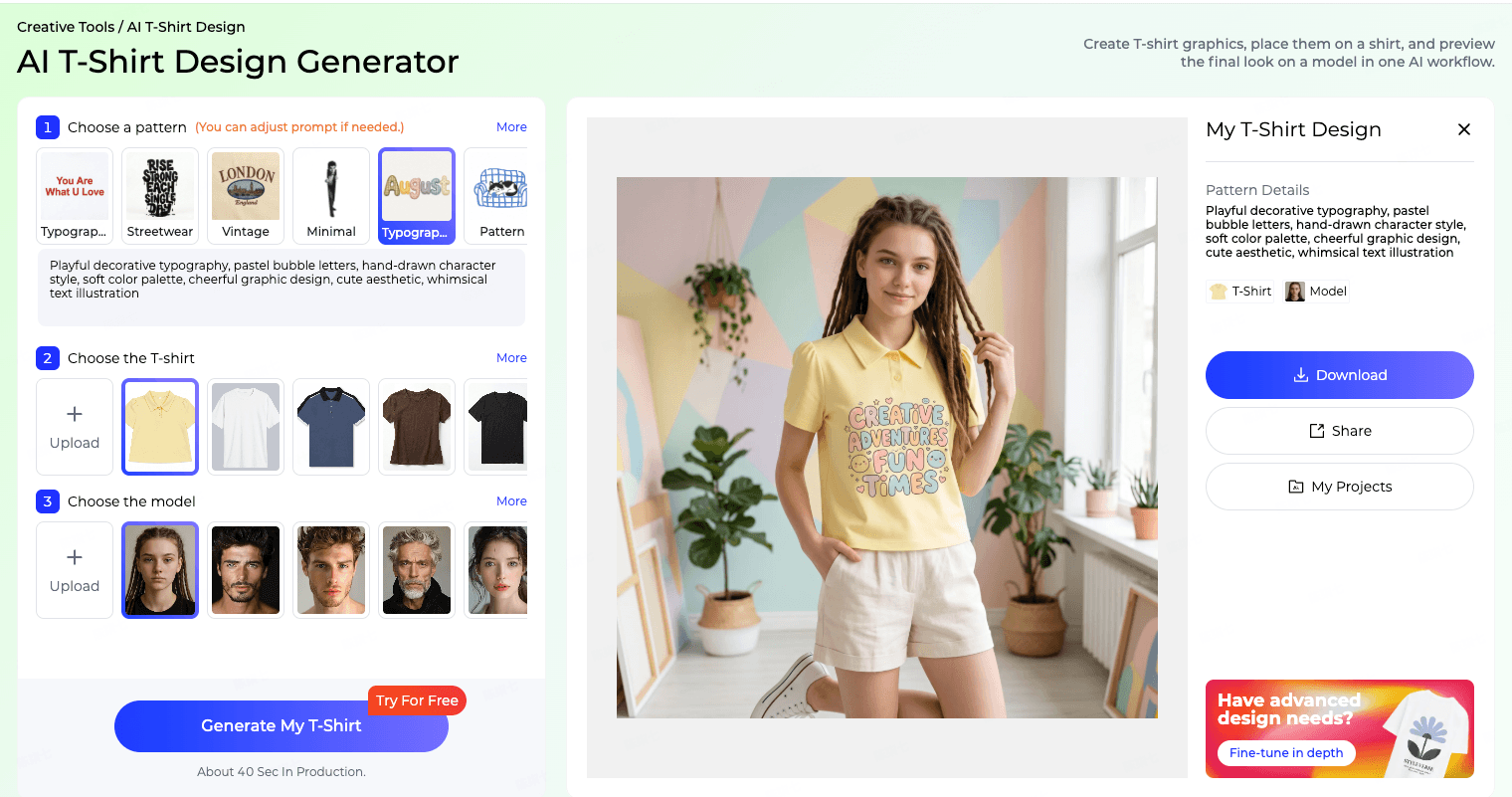
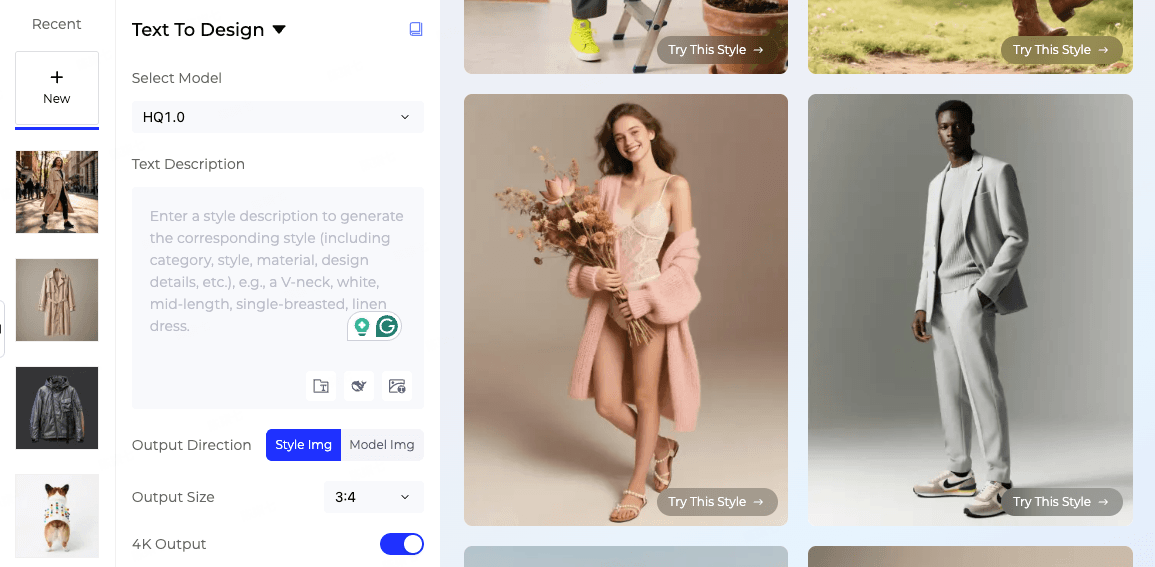
Style3D AI combines more of the T-shirt design process into one AI workflow. You can start with a prompt or template, generate a graphic style, apply it to a T-shirt, and preview the final look on a model. This makes it easier to understand whether the design works as a real wearable product, not just as a standalone image.
For fashion designers, this helps with early creative exploration. For ecommerce and POD sellers, it helps test more product ideas. For small brands, it can support campaign visuals, concept reviews, and new drop planning before a full photoshoot or sample run.
How to Use AI for T-Shirt Design
Creating a custom T-shirt with Style3D AI can be simple:
Step 1: Start with a Prompt or Template
Begin by describing your idea or choosing a design style. You can create a streetwear graphic, vintage poster-style print, minimal logo tee, sports-themed shirt, mascot design, funny quote, or repeated pattern.
A strong prompt should include the theme, style, colors, mood, and placement idea. For example:
“Vintage basketball club graphic for an oversized black T-shirt, distressed print texture, bold typography, retro sports poster style.”
Step 2: Select a T-Shirt
After generating the graphic direction, choose the T-shirt style or upload your own garment reference. This step helps you see how the design fits the shirt shape, instead of judging it as a flat image.
Step 3: Generate an On-Model Preview
Style3D AI can create a model-wearing T-shirt preview in about one minute. You can use a built-in model or upload your own reference image to create a more personalized visual. This helps you evaluate styling, scale, color balance, and overall product appeal.
Best Use Cases for an AI T-Shirt Design Tool
An AI T-shirt design generator can support many different users:
Fashion designers can explore graphics and styling ideas faster before moving into production.
Small clothing brands can create product concepts for new drops without waiting for a full photoshoot.
Ecommerce sellers can generate visual ideas for shirts, merch, and seasonal campaigns.
Print-on-demand sellers can test more niches, slogans, and graphic directions before deciding what to sell.
Fashion students can turn creative ideas into portfolio-ready visual concepts.
Content creators and bloggers can create custom T-shirt visuals for campaigns, social content, or merch launches.
T-Shirt Design Styles to Try with AI
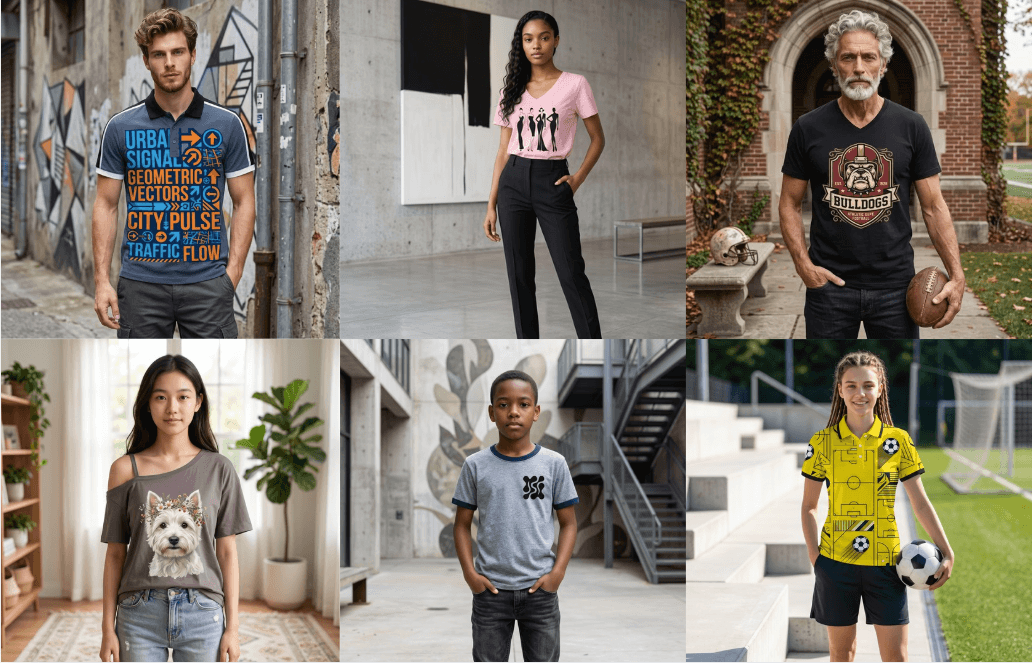
If you are not sure where to start, try building your custom T-shirt around a clear style direction:
Streetwear: oversized graphics, graffiti, collage, bold layouts, drop-culture visuals.
Vintage: retro sports prints, 70s/80s/90s poster styles, washed textures, distressed effects.
Minimal: small chest prints, line art, clean logos, premium basics, negative space.
Typography: slogans, quotes, event names, date-based graphics, poster-style text layouts.
Pattern: floral, checkerboard, camo, abstract shapes, stripes, animal print, or all-over print ideas.
Logo: badge, emblem, crest, club shirt, brand tee, or team identity concepts.
Mascot: original characters, cartoons, school mascots, community merch, or brand IP.
Sports: football, basketball, running, tennis, gym, team spirit, or match-day merch.
Illustration: large artistic graphics, poster-style visuals, hand-drawn concepts, or expressive artwork.
Funny / Quote: niche humor, meme-inspired shirts, emoji-style concepts, and POD-friendly slogan tees.
Tips for Better AI T-Shirt Design Results
To get better results from an AI T-shirt design tool, avoid vague prompts like “cool T-shirt design.” Instead, describe the audience, theme, color palette, graphic style, and shirt type.
For example, instead of:
“Create a gym T-shirt.”
Try:
“Bold gym motivation T-shirt graphic for a black oversized tee, strong typography, metallic silver and red colors, high-energy streetwear style.”
You can also generate several variations before choosing one direction. Small changes in wording, color, placement, or style can produce very different results, which makes AI useful for fast creative testing.
Final Thoughts
The best AI T-shirt design tool in 2026 should do more than generate a flat graphic. It should help you create the artwork, place it on a shirt, and preview the final look as a wearable product visual.
Style3D AI is built for this more complete workflow. Whether you are designing custom T-shirts for a brand, online store, POD shop, portfolio, or creative campaign, it helps turn ideas into visual concepts faster, with fewer separate tools. If you want to design your own T-shirt online, Style3D AI gives you a practical way to move from prompt to product preview in one AI-powered workflow.
Written by
What's Next?


How to Do AI Fashion Style Transfer on Clothing Images?
AI fashion style transfer lets you upload a garment image and text prompt to generate new style variations instantly. Using Style3D AI's Style to Style tool (free tier available), select a reference outfit, describe changes like "cyberpunk streetwear," and produce polished 2D apparel designs in seconds for collections or marketing—eliminating physical samples. What Is AI Fashion Style Transfer and Why Use It for Clothing Designs? AI fashion style transfer is a computational technique that tra
How to Integrate Fashion Design API for Developers in E-Commerce?
Style3D AI provides a cloud-based fashion design API for developers to embed 2D garment rendering, virtual try-on, sketch-to-image, and marketing visuals into e-commerce platforms. Integrate via simple HTTP requests to generate design variations and on-model images in seconds, reducing sampling costs by up to 70% without physical prototypes or photoshoots. Free tier offers 50+ images to start testing. Check: Graphic Merge What Is a Fashion Design API and Why Do Developers Need It? A fashion


