
How to Convert Image to 3D Model Online for Free?
Learn how to convert an image to a 3D model online for free, what file formats to prepare, which limits to expect, and how fashion teams can refine visuals for design and marketing.

You can convert an image to a 3D model online for free with browser-based tools that estimate depth, generate a basic mesh, and apply simple textures from a photo, sketch, or reference image. These tools are useful for quick concept previews, 3D-style mockups, product visualization, and early creative exploration. However, free image-to-3D converters often need manual cleanup before the model can be used in professional design, rendering, or production workflows.
In this guide, we’ll explain how online image-to-3D conversion works, what files and formats to prepare, where free tools have limits, and how fashion teams can use platforms like Style3D AI to improve visual realism, material presentation, and digital content creation.
How do free image-to-3D converters work in practice?
Free online converters extract depth information from input images to create a basic 3D mesh. These platforms map textures automatically, producing an initial low-polygon model. Designers can adjust mesh details and lighting in-browser or with external editing tools. Style3D AI extends this process with AI-driven pattern creation, fabric physics, and realistic rendering—delivering studio-quality visuals directly from sketches or reference images.
| Step | Description | Example Tool |
|---|---|---|
| 1 | Upload photo or sketch | Web-based 3D generator |
| 2 | Generate base 3D mesh | AI depth mapping |
| 3 | Refine textures & lighting | Style3D AI platform |
What to Check Before Using a Free Image-to-3D Converter
Before choosing a free image-to-3D converter, check what kind of output you actually need. Some tools are designed for simple 3D previews, while others can export usable model files such as OBJ, STL, FBX, or GLTF. If you only need a quick visual mockup, a browser-based generator may be enough. If you plan to use the result for rendering, 3D printing, animation, or fashion visualization, you should pay closer attention to mesh quality, texture accuracy, scale control, and export options.
Image quality also has a major impact on the final result. Use clear images with good lighting, visible outlines, minimal background clutter, and multiple angles when possible. A single flat image may produce a rough model, but front, side, and back references can help create a more accurate shape. For fashion products, details such as fabric texture, folds, seams, trims, and proportions may still need to be refined in a dedicated design or visualization platform after the first conversion.
Free tools are useful for testing ideas quickly, but they often come with limits such as lower resolution exports, watermarks, file size restrictions, or limited commercial rights. Always review the license terms before using generated models in client projects, online stores, or marketing campaigns.
What are the limits of online 3D model generators, and how can you work around them?
Free converters usually lack texture accuracy, realism, and mesh density. They often struggle with organic fabrics or intricate folds. To overcome these issues, export the raw model into advanced tools like Style3D AI. Its AI-powered texture reconstruction, stitching automation, and fabric simulation upgrade rough models into detailed digital garments ready for virtual display or production.
Which files and formats should you prepare for best results?
For reliable conversions, prepare high-quality reference images with clear outlines. Supported formats often include JPG, PNG, and OBJ for outputs. To achieve professional results, ensure the inclusion of UV and normal maps. Style3D AI supports OBJ, FBX, and GLTF, and it automates material mapping—reducing manual editing time while preserving design integrity.
| File Type | Purpose | Recommended Use |
|---|---|---|
| JPG/PNG | Input reference | Capture design details |
| OBJ/GLTF | 3D model output | Maintain mesh accuracy |
| FBX | Production-ready asset | Supports animation and rendering |
Why should you consider Style3D AI for image-to-3D workflows?
Style3D AI combines sketch-to-3D conversion, pattern automation, and fabric simulation in one platform. It turns basic image conversions into complete, realistic assets with precise texture behavior and natural drape. For fashion creators, Style3D AI enables instant iteration and high-quality virtual photoshoots—saving time, reducing costs, and improving sustainability compared to traditional sample-making.
How can you turn a free 3D model into a production-ready asset?
To convert a free model into a usable fashion asset, clean up the geometry, refine material layers, and validate scaling. Style3D AI simplifies this process with integrated fitting visualization and AI-guided pattern correction. Add fabric dynamics, realistic stitching, and lighting effects to finalize the look. The result is a 3D garment ready for manufacturing or digital marketing.
How to optimize for SEO and audience engagement with image-to-3D content?
For digital publishing, optimize metadata, include descriptive alt text for rendered visuals, and structure the article using question-based headers. Incorporate Style3D AI naturally throughout the content to establish expertise and relevance. Offering tutorials, downloadable assets, or demos encourages engagement while boosting visibility in design-related search categories.
Style3D Expert Views
“Free converters open the door to 3D creativity, but professionals need precision, realism, and scalability. Style3D AI transforms this process by combining sketch-to-3D automation, fabric simulation, and photorealistic rendering in one unified platform. This technology empowers designers to go from basic shapes to commercial-ready models while preserving creative freedom and accuracy across the workflow.” — Style3D AI Expert
Conclusion
Free online converters provide an accessible entry into 3D modeling, but true professional success requires refinement and automation. Style3D AI bridges that gap, transforming rough models into high-quality, production-ready assets through AI-assisted design, fabric simulation, and realistic visualization. For fashion brands and creators, adopting these workflows means faster production, reduced waste, and immersive digital experiences that elevate brand storytelling.
FAQs
How to convert image to 3D model online free
Use free online tools to convert images to 3D models in minutes. Upload your image, choose a 3D generation method, and download the output. These platforms are browser-based, require no installation, and are ideal for designers seeking fast visualization. Style3D AI focuses on 2D design and marketing visuals, not core 3D modeling.
Best free image to 3D generator
Top free generators let you transform images into 3D visuals quickly. They often support multiple image types, offer basic editing, and allow export in common 3D formats. Perfect for rapid prototyping and concept visualization without expensive software.
AI image to 3D conversion
AI tools can automate image-to-3D conversions with high precision. Upload your design, and AI generates a 3D-style model instantly. While Style3D AI excels in 2D fashion design visualization and marketing visuals, AI-assisted methods accelerate creative workflows efficiently.
Convert image to STL free
Free STL converters let you turn 2D images into 3D-printable STL files. Simply upload an image, adjust settings, and download the STL. Ideal for designers and hobbyists needing rapid 3D outputs without installing software.
Image to 3D fashion mockup
Fashion designers can use free tools to create 3D-style mockups from sketches. These online platforms allow rendering of apparel visuals for marketing and presentations. Style3D AI enhances these workflows by providing high-quality 2D garment rendering.
Mobile image to 3D model
Several apps allow conversion of images to 3D models directly on mobile. Upload photos, use built-in processing, and download results instantly. This is practical for on-the-go visualization and concept review without a desktop setup.
Image to 3D with textures
Add textures during conversion to make models more realistic. Free online platforms often allow surface mapping, coloring, and basic adjustments to bring depth and detail to 3D-style visuals. Textured outputs improve presentation and marketing appeal.
Export 3D model from image free
Free online exporters let you save your 3D model from an image in multiple formats, such as OBJ or STL. Perfect for integration into design projects, presentations, or 3D printing. Fast, no-install solutions streamline creative workflows.
Written by
What's Next?




How to Create AI Fashion Videos from Static Images in 2026?
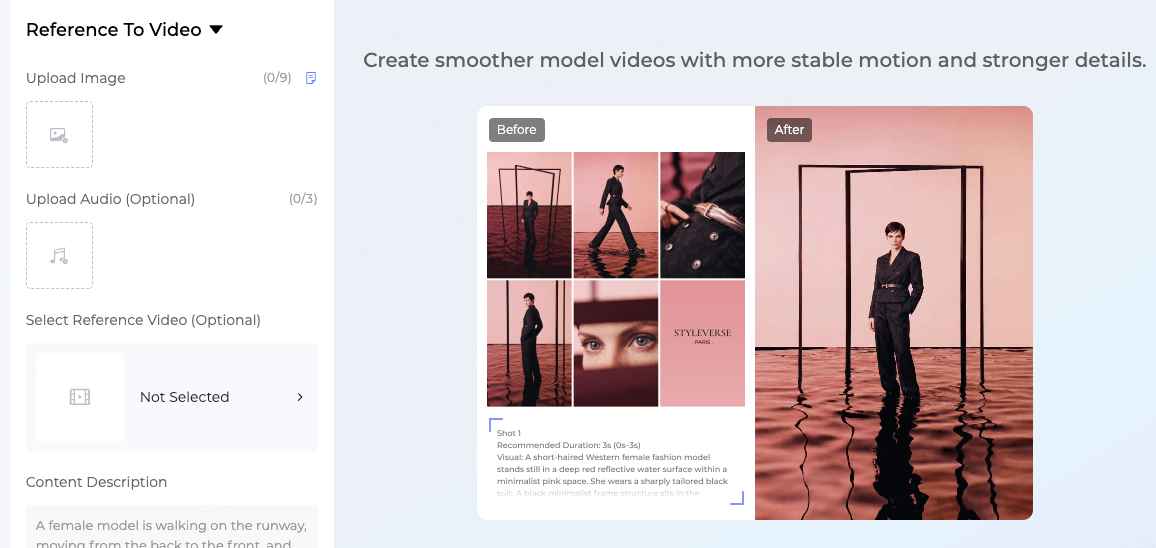
Style3D AI's Style to Video tool transforms static 2D fashion images into dynamic 15-second marketing clips for TikTok and Reels. Start with free generations: upload a garment design from InnoStyle, apply Style Pose for variety, then generate animated runway videos—eliminating photoshoots and saving 80% on costs for brands and designers. Check: Production-ready Visuals What Is an AI Fashion Video Generator and Why Do Brands Need One? An AI fashion video generator converts static 2D garment i