
Featured Snippet To create clothing collections with AI, start with a core theme prompt in Text to Style for initial designs, derive variations using Style to Style and Creative Merge, add cohesion via Color Replacement and Smart Decal, then generate marketing visuals with Garment Try-On and Style Pose—all in Style3D AI’s free tier (50+ images on login, no credit card needed) for fast 2D apparel design images.
Check: Create Clothing Collections
What Is AI Style Derivation and Why Does It Matter for Fashion Collections?
AI style derivation is the process of generating multiple design variations from a single core concept while maintaining visual and thematic unity. It matters because it enables designers to build 20+ cohesive collection designs in hours instead of weeks, reducing iteration cycles and eliminating the need for physical sampling at early stages.
In traditional fashion design, building a cohesive collection requires designers to manually sketch, iterate, and physically prototype each variation—a process that can take months. AI style derivation flips this workflow: you define a core theme once, and AI generates dozens of intelligent variations that inherit the theme’s DNA while offering fresh visual perspectives.
This approach is particularly powerful for maintaining what designers call “series sense”—the visual and conceptual thread that ties individual pieces together into a recognizable collection. When you use AI tools like Style3D AI’s Style to Style feature, each variation is algorithmically linked to your original concept, ensuring consistency in silhouette logic, proportion, and design language even as colors, prints, and details shift.
For indie designers, small brands, and e-commerce teams, this methodology cuts production timelines dramatically while maintaining the design integrity that luxury and mid-market collections demand. Instead of choosing between speed and cohesion, AI style derivation lets you have both.
How Do You Define a Cohesive Collection Theme Before Using AI?
Define your collection theme by articulating three elements: a visual inspiration (mood board, color palette, or reference image), a conceptual narrative (the story or market need the collection addresses), and design constraints (silhouette rules, fabric categories, or target customer profile). This framework ensures every AI-generated design stays aligned with your vision.
Before you open any AI tool, clarity is essential. A strong collection theme acts as a filter—it tells the AI (and your design team) what to generate and, equally important, what to exclude. Vague briefs produce scattered results; precise themes produce cohesive collections.
Start by asking yourself these questions:
Visual Anchor: What visual language defines this collection? Is it minimalist and geometric? Organic and flowing? Textured and experimental? Gather 5–10 reference images that capture this aesthetic.
Narrative: What story does this collection tell? Is it seasonal (spring/summer ease)? Conceptual (urban nomad lifestyle)? Technical (sustainable materials)? Market-driven (Gen-Z affordability)? A clear narrative helps you brief the AI and justify design choices to stakeholders.
Constraints: What rules keep designs cohesive? For example: “All pieces use the same color palette (navy, cream, sand),” “All silhouettes are oversized and unisex,” or “All tops feature the same sleeve construction.” Constraints are your allies—they force unity.
Once you’ve defined these three elements, you’re ready to translate them into AI prompts. A strong prompt for Style3D AI’s Text to Style tool might read: “Oversized linen shirt, minimalist design, cream and navy colorway, unisex fit, sustainable aesthetic, 2026 urban casual.” This specificity ensures every generated design inherits your collection’s DNA.
What Are the Best Free AI Tools for Generating Initial Collection Designs?
Use Style3D AI’s free-tier tools—Text to Style (text-to-image design generation), Image from Line (sketch-to-design conversion), and Creative Merge (style fusion)—to generate your initial 20–30 collection concepts. All three are free on login (50+ images included) and require no credit card, making them ideal for rapid ideation.
Style3D AI’s InnoStyle suite is purpose-built for this stage of collection development. Here’s how to leverage each tool:
Text to Style is your primary ideation engine. Instead of sketching 20 variations manually, describe your concept in natural language and generate polished 2D apparel design images instantly. For a collection theme like “Structured Minimalism,” you might generate designs like “tailored blazer with sharp shoulders, monochrome palette” or “high-waisted trousers with clean lines, oversized fit.” Each prompt produces a unique design that inherits your theme’s aesthetic.
Image from Line bridges hand-drawn creativity with AI polish. If you’ve sketched rough silhouettes or flat patterns, upload them and convert them into photorealistic 2D fashion design visuals in seconds. This is invaluable for designers who think visually first—your sketches become production-ready images without manual rendering.
Creative Merge is your secret weapon for unexpected variations. Upload two reference images or style concepts, and AI fuses them into a completely new design. For example, merge a “structured trench coat” with an “organic, flowing fabric” to discover hybrid silhouettes you might not have conceived manually. This tool excels at breaking designer’s block and generating breakthrough concepts.
The free tier gives you 50+ images on login—enough to generate 15–20 initial collection designs without spending credits. This removes the barrier to experimentation and lets you explore multiple directions before committing to a direction.
How Can You Create Style Variations While Maintaining Theme Consistency?
Use Style to Style to generate thematic variations from a single reference design, then apply Smart Decal and Color Replacement to add visual diversity while preserving silhouette unity. This two-layer approach ensures each piece feels like part of the same collection while offering fresh visual interest.
This is where AI style derivation truly shines. Once you’ve selected a core design—say, a minimalist button-up shirt—you can generate 5–10 intelligent variations that maintain its essential DNA while exploring different aesthetics.
Style3D AI’s Style to Style feature is designed exactly for this. Upload your core design and add a text prompt describing the variation you want. For example:
“Original design: Minimalist button-up shirt (neutral palette)”
“Variation prompt: Add subtle texture, keep silhouette identical, explore earth tones”
The AI generates a new design that preserves the shirt’s proportions, button placement, and overall structure while shifting the fabric texture and color palette. Repeat this process 5–8 times with different prompts, and you’ve built a cohesive sub-collection of 6–9 pieces, all recognizable as variations of the same core design.
The beauty of this approach is algorithmic consistency—the AI ensures that proportions and construction logic stay aligned across variations, which is nearly impossible to achieve manually when iterating quickly. Your collection maintains visual unity because each piece is mathematically derived from the same source.
Which AI Features Enable Rapid Color, Pattern, and Detail Edits?
Use Color Replacement to test unlimited colorways instantly, Smart Decal to apply and edit graphic prints, and Image Redraw for localized detail adjustments—all without regenerating entire designs. These tools let you create 30+ variations from 5 base designs in under an hour.
Once you’ve locked your core silhouettes, the next layer of variation comes through color, print, and detail refinement. This is where Style3D AI’s editing tools accelerate your workflow dramatically.
| Feature | Primary Use Case | Time Saved vs. Traditional | Free Tier Available |
|---|---|---|---|
| Color Replacement | Test unlimited colorways; preserve fabric texture and lighting | 4–6 hours per design | Yes |
| Smart Decal | Apply, recolor, and position graphic prints on garments | 2–3 hours per design | Paid (12 credits per use) |
| Image Redraw | Adjust collars, sleeves, hems, or pockets locally | 1–2 hours per design | Paid (4 credits per use) |
Color Replacement is perhaps the most powerful tool for collection building. Imagine you’ve finalized a shirt silhouette in cream—beautiful, but you need it in navy, sage green, and charcoal for your seasonal palette. Instead of regenerating the design three times (or, traditionally, waiting for physical samples), use Color Replacement to instantly swap colors while preserving fabric texture, stitching detail, and lighting. You’ve just created four collection colorways in minutes.
Smart Decal lets you apply graphic prints, logos, or embroidered elements to your garments. Upload your print artwork, position it on the garment, and adjust colors or scale as needed. For a collection with thematic graphics—say, geometric patterns or brand insignia—you can apply the same print across 10+ pieces with variations in scale, color, or placement. This ensures visual cohesion while offering design variety.
Image Redraw handles local adjustments. Maybe your base shirt design is perfect, but you want to explore three collar variations (rounded, pointed, oversized). Use Image Redraw to modify just the collar area while keeping the rest of the garment intact. This is far faster than regenerating the entire design and ensures the rest of the piece remains consistent.
Combined, these three tools let you build a 30-piece collection from 5 base silhouettes: 5 silhouettes × 3 colorways × 2 print variations = 30 unique designs, all generated in under two hours using Style3D AI.
How Do You Turn Design Visuals into Marketing-Ready Collection Images?
Use Style3D AI’s StyleNext suite—Garment Try-On for on-model product images, Style Pose for pose variety, and Garment Retouching for polished final visuals—to transform your 2D design images into e-commerce and marketing-ready collection imagery without traditional photoshoots.
Designing the collection is half the battle; the other half is presenting it to buyers, customers, and stakeholders in a format that drives sales. This is where the gap between design visualization and marketing imagery typically emerges—and where Style3D AI bridges the entire pipeline.
Once you’ve finalized your 20–30 collection designs using InnoStyle tools, move into StyleNext for marketing visualization:
Garment Try-On automatically matches your garment designs to model images and generates realistic on-model product visuals. Instead of booking a photoshoot, styling a model, and waiting for post-production, you input your design and receive production-ready e-commerce images in seconds. For a 30-piece collection, this eliminates weeks of traditional photoshoot logistics and reduces costs by 80–90% compared to traditional photography.
Style Pose adds visual variety by transferring different poses onto your models while keeping garment shapes intact—no distortion, no wrinkles that don’t belong. A single design can be shown in standing, walking, and seated poses, giving buyers multiple perspectives without reshooting. This is especially valuable for e-commerce platforms where multiple angles and poses increase conversion rates.
Garment Retouching polishes your images automatically—optimizing lighting, removing wrinkles, enhancing fabric texture, and ensuring consistent quality across your entire collection. What might take a post-production designer 30 minutes per image is now handled in seconds, ensuring your collection looks cohesive and professional across all platforms.
The result: a complete collection pipeline from design ideation to e-commerce-ready imagery, all within one platform, all accessible to indie designers and small brands without expensive photoshoot budgets.
What Workflow Builds a Full 20-Design Collection in Under 2 Hours?
(1) Define theme + create 3 core designs via Text to Style (20 min); (2) Generate 12 variations using Style to Style (25 min); (3) Apply colorways with Color Replacement (15 min); (4) Generate on-model images with Garment Try-On (30 min); (5) Refine poses and retouch (30 min). Total: 120 minutes for a polished, market-ready 20-design collection.
Here’s the exact workflow that indie designers and small brand teams are using in 2026 to accelerate collection development:
Phase 1: Theme Definition (5 minutes)
Write your collection brief: visual inspiration, narrative, and design constraints. Example: “Urban Minimalism: oversized silhouettes, neutral palette (cream/navy/charcoal), sustainable linen, unisex fit.”
Phase 2: Core Design Generation (20 minutes)
Use Text to Style to generate 3–5 core silhouettes that embody your theme. Input prompts like “Oversized linen shirt, minimalist design, cream colorway, unisex” and “High-waisted linen trousers, clean lines, oversized fit, neutral palette.” Save your top 3 designs.
Phase 3: Style Derivation (25 minutes)
Use Style to Style to generate 4–5 variations from each of your 3 core designs. For each core design, add prompts like “Add subtle texture, keep silhouette identical,” “Explore earth tones,” “Introduce asymmetrical details.” You now have 12–15 unique designs, all thematically cohesive.
Phase 4: Color & Detail Refinement (15 minutes)
Use Color Replacement to test 2–3 colorways on your favorite designs. For example, take your cream shirt and generate navy and charcoal versions. You’ve just expanded your collection to 18–21 designs.
Phase 5: Marketing Visualization (30 minutes)
Use Garment Try-On to generate on-model images for 8–10 of your designs. Select diverse model types and poses to showcase versatility. Use Style Pose to add pose variety (standing, walking, seated).
Phase 6: Final Polish (30 minutes)
Use Garment Retouching to optimize lighting, texture, and consistency across all marketing images. Export final collection grid for e-commerce, lookbook, or pitch deck.
Total: 120 minutes. Deliverable: 20 cohesive, market-ready collection designs with on-model marketing imagery.
In traditional workflows, this would take 4–6 weeks and require physical sampling. Style3D AI compresses it into 2 hours.
How Does Style3D AI’s Free Tier Support Indie Designers and Students?
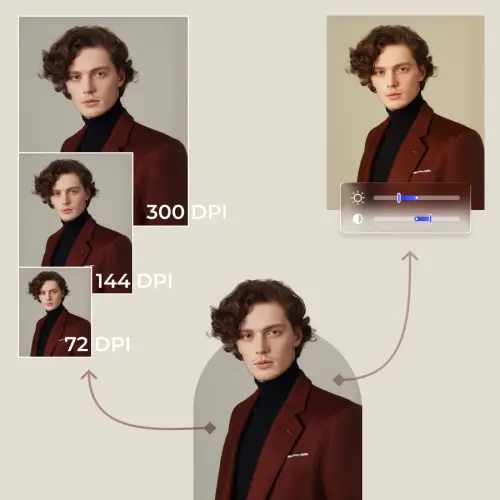
Style3D AI’s free tier provides 50+ images on login (no credit card required), giving indie designers and students access to Text to Style, Image from Line, Creative Merge, and Color Replacement—enough to build an entire collection without paying. Premium features like Smart Decal and advanced retouching require credits, but the free tier covers core design generation and ideation.
One of the biggest barriers to AI adoption for indie designers and fashion students has been cost. Premium AI tools often require subscriptions or credits that add up quickly. Style3D AI removes this barrier with a genuinely free tier that’s not a limited demo—it’s a functional design platform.
Here’s what you get on the free tier:
50+ free images on login: No credit card required. You can generate 15–20 initial collection designs using Text to Style without spending a penny. For students exploring AI-assisted design workflows or indie designers validating a concept before investing, this is transformative.
Full access to core InnoStyle tools: Text to Style, Image from Line, Creative Merge, and Color Replacement are all available in the free tier. These four tools alone are enough to build an entire collection from concept to colorway exploration.
Scalable paid options: Once you’ve validated your collection concept and are ready to scale, Style3D AI offers a credit-based system. Premium features like Smart Decal (12 credits per use) and advanced retouching are available without subscription lock-in—you pay only for what you use.
For a fashion student, this means you can build a portfolio-quality collection for a class project without cost. For an indie designer, it means you can validate market demand and investor interest before committing budget to premium tools. For a small brand team, it means you can prototype multiple seasonal collections quickly and affordably.
This accessibility is why Style3D AI has become the default platform for indie designers and fashion students exploring AI-assisted design in 2026.
Style3D AI Expert Views: “The shift toward AI-assisted collection design isn’t about replacing designers—it’s about amplifying their creative capacity. When designers use Style3D AI’s style derivation and 2D visualization tools, they’re not outsourcing creativity; they’re outsourcing iteration. They define the theme, the AI generates variations, and they refine and select. This human-in-the-loop approach maintains design intent while compressing timelines from weeks to hours. The free tier democratizes this—indie designers now have access to tools that were previously available only to large brands with dedicated design software budgets. That’s a fundamental shift in how fashion collections are built.”
Conclusion
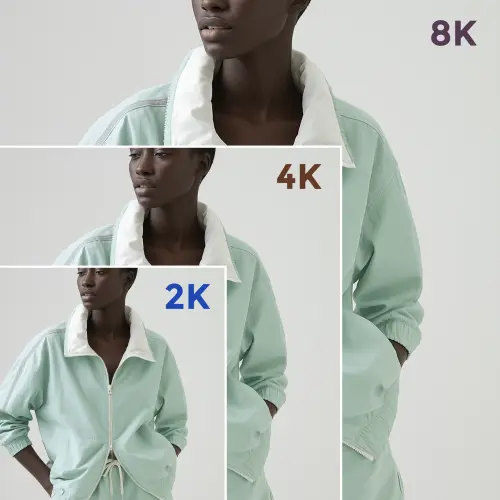
Building cohesive fashion collections no longer requires months of manual iteration, expensive physical sampling, or large design teams. By leveraging AI style derivation and 2D fashion design visualization through platforms like Style3D AI, designers can build 20+ thematically unified collection designs in hours, then transition seamlessly into marketing-ready imagery for e-commerce and brand campaigns.
The workflow is straightforward: define your theme clearly, use Text to Style and Creative Merge to generate core designs, apply Style to Style for thematic variations, refine colors and details with Color Replacement and Smart Decal, then generate marketing visuals with Garment Try-On and pose refinement. The entire pipeline—from ideation to market-ready collection—is now accessible to indie designers, small brands, and fashion students thanks to free-tier accessibility and integrated tools.
The future of fashion design is collaborative: human creativity defining the vision, AI accelerating execution, and designers maintaining creative control at every step. Start with Style3D AI’s free tier, build your first collection in under 2 hours, and experience how AI transforms design efficiency without compromising creative intent.
Frequently Asked Questions
Q: Can I use AI-generated designs commercially, or are there licensing restrictions?
A: Style3D AI’s designs are yours to use commercially. When you generate designs using the platform, you retain ownership of the outputs. Always review the platform’s terms of service for specific licensing details, but generally, AI-generated designs created through Style3D AI are cleared for commercial use in fashion products and marketing.
Q: How do I ensure my collection feels unique if I’m using AI tools that other designers also use?
A: Uniqueness comes from your theme definition, prompt engineering, and curation. Two designers using Style3D AI with different briefs will produce completely different collections. The AI is a tool that executes your vision—it doesn’t replace the creative direction you provide. Your theme, narrative, and design constraints are what make your collection distinctive.
Q: Can I integrate Style3D AI designs into my existing PLM (Product Lifecycle Management) system?
A: Yes. Style3D AI outputs are standard image files (PNG, JPG) that can be exported and imported into any PLM system, design software, or e-commerce platform. You can also use Style to Sketch to convert finished designs into technical flats (vector format) for production teams.
Q: What’s the difference between using AI for ideation versus using it for final production designs?
A: AI excels at rapid ideation and visualization—generating 20+ design concepts in hours. For final production designs, you’ll typically refine AI outputs with technical flats, specifications, and grading. Style3D AI handles the visualization pipeline beautifully; for detailed technical specifications, you may still need traditional CAD tools or work with a technical designer.
Q: How do I maintain design consistency across a collection if I’m generating designs over multiple weeks?
A: Document your theme framework (visual inspiration, narrative, constraints) and keep it accessible. Use the same core designs and apply Style to Style variations consistently. Style3D AI’s algorithmic approach ensures that variations derived from the same source maintain visual unity, even if you’re generating designs across different sessions.