
Image to Video

Instantly Create Viral Product Videos to Boost Conversions
In today’s short-video-driven e-commerce world (#eCommerceMarketing #AmazonVideos #ProductVideos), 65% of shoppers abandon listings because they cannot dynamically evaluate products. Traditional video production, requiring scripting, models, and editing, is expensive and time-consuming.
Style3D’s AI Image-to-Video feature solves this with AI-powered video generation and DeeSeek’s viral copy library:
✅ Zero-Skill Video Creation: Upload product images and enter descriptions (#AICopywriting #VideoScripts) to automatically generate short videos (5s or 10s options)
✅ Rapid Production: Produce professional-looking product videos 100× faster than traditional methods
Whether you aim to reduce video costs or boost conversion rates, this feature streamlines video creation and enhances product storytelling instantly.
Step-by-Step Guide
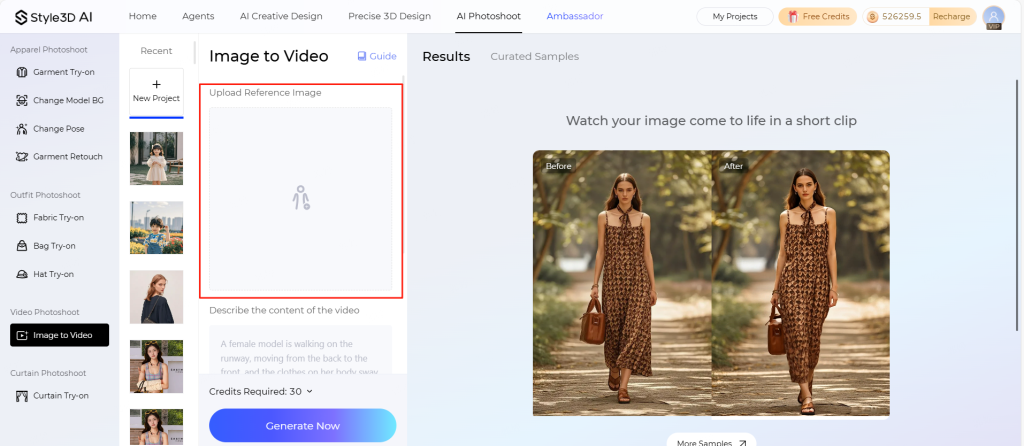
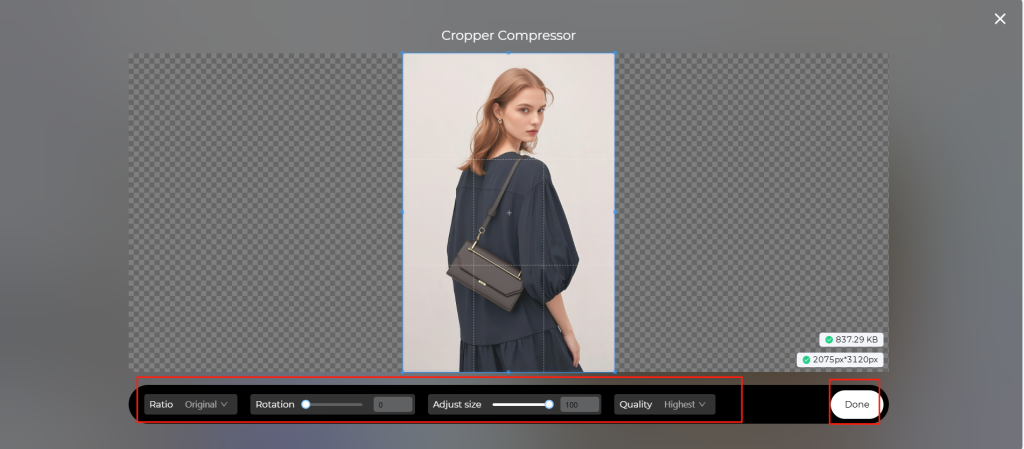
Step 1: Upload Product Image
- Click "Upload Image"
- Requirements:
- Formats: JPG/JPEG/PNG,Max size: 10 MB,Min dimensions: 300px,Aspect ratio: 0.4 - 2.5
Step 2: Enter Video Description
- Input prompts under "Describe your video"
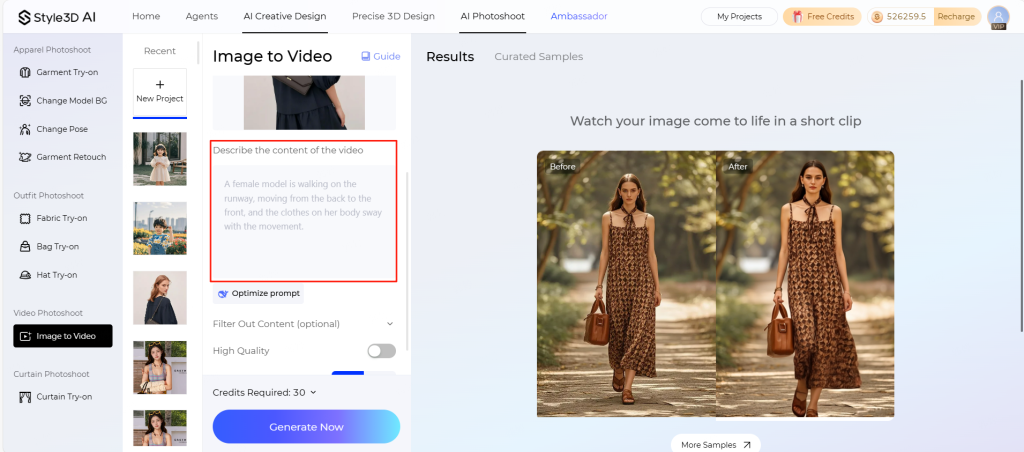
Optional enhancements:
- Click "Optimize Copy" for AI-powered improvements (powered by DeepSeek)
- Add "Unwanted content" to exclude issues like:
- Clothing color inaccuracies
- Skin tone inconsistencies
- Other quality concerns
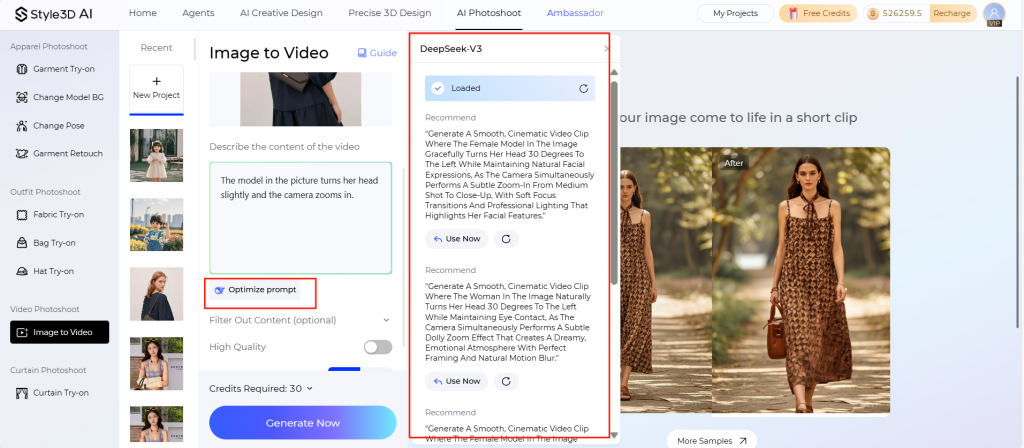
Step 3: Generate & Export
- Quality options:
- Enable "High Quality" for premium output
- Duration selection:
- 5 seconds: Ideal for simple products
- 10 seconds: Better for complex movements
- Click "Generate Now"
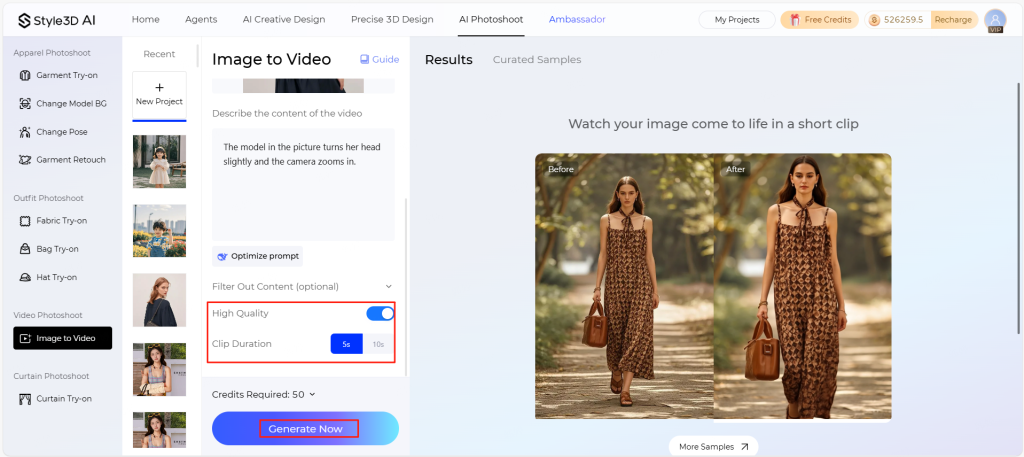
Step 4: Share or download completed videos
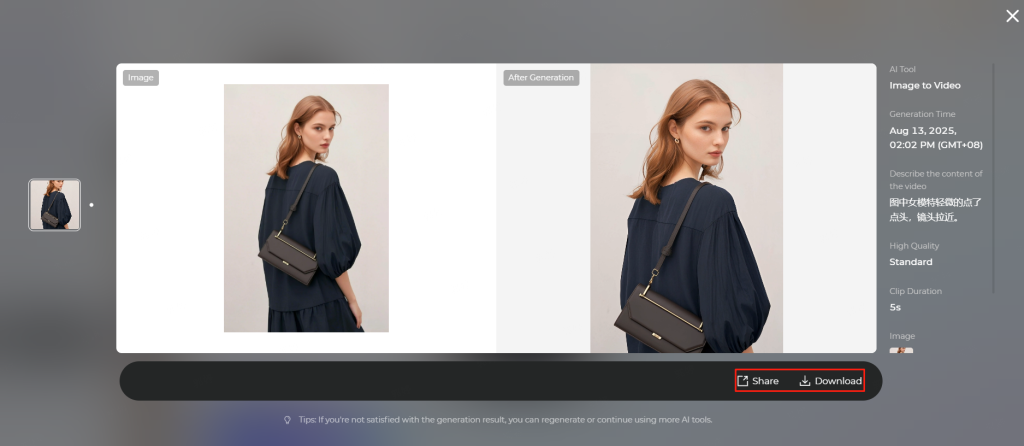
Demo Video:
💡 Pro Tips for Best Results – Image-to-Video
Product Images
- Use high-quality, front-view images showing the entire product
- Avoid blurry or obstructed shots
- Ensure consistent lighting and minimal background clutter
Video Descriptions
- Write clear, concise prompts describing the product and its use
- Include key features and highlight any unique selling points
- Use simple language for AI to generate accurate visuals
Video Settings
- Choose High Quality for premium output
Start using Style3D’s immersive fashion experiences today to transform your fashion workflow and revolutionize your customers' experience!
Written by
What's Next?

Garment Try-on
Style3D in Pills: How to Use Virtual Try-On Technology to Bring Your Designs to Life AI Garment Try-On: Feature Overview See how your projects will look in real life! In today's fast-paced fashion e-commerce and retail landscape, one of the biggest consumer pain points is the inability to visualize how garments look when worn. Often, online services and software struggle to meet this vital need when managing a fashion business. Knowing what you're selling before selling it is crucial to the
Curtain Try-on
Visualize Soft Furnishings in Seconds and Boost Client Confidence In interior design, curtain-to-space compatibility is often the top concern for clients. Traditional methods (on-site measurements and Photoshop composites) are time-consuming and costly. Style3D’s AI Curtain Simulation solves this by intelligently merging scenes: simply upload transparent PNG curtains and room images, and the AI automatically detects window frames for seamless fitting. Whether you are: * A fabric wholesaler