
AI Change Pose: Unlock Infinite Styling Possibilities
In fashion e-commerce, the right pose can make all the difference: it reveals the cut, drape, and movement that static shots just can’t convey. But organizing multi-pose photoshoots means hiring models again, adjusting lighting, and burning through time and budget.
Luckily, we have the solution. With Style3D AI Change Pose, you can transform your visuals in seconds:
✅ Smart Pose Transfer: Apply professional poses from our library, whether elegant standing, casual sitting, or energetic and athletic.
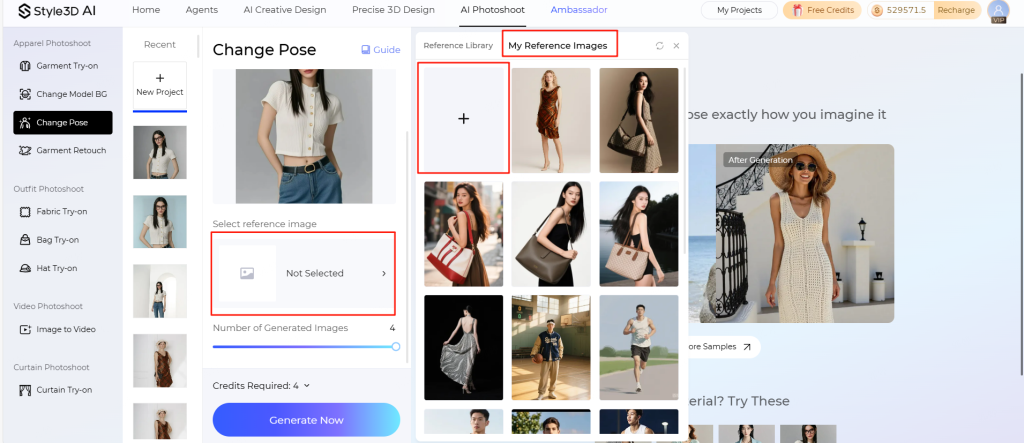
✅ Custom Poses: Upload a reference image and let AI recreate even complex movements with perfect accuracy.
✅ Fabric-Safe Guarantee: Our engine preserves garment shape, drape, and wrinkles, keeping your outfit looking realistic and true-to-life.
From eye-catching hero images to dynamic social media assets and virtual model cards, Change Pose cuts photoshoot costs by up to 85%, while giving your products ten times the visual impact.
Step-by-Step Guide
- Upload Base Model Image
- Click “Upload Reference Image”.
- Supported Formats: JPG, JPEG, PNG
- Max File Size: 20 MB
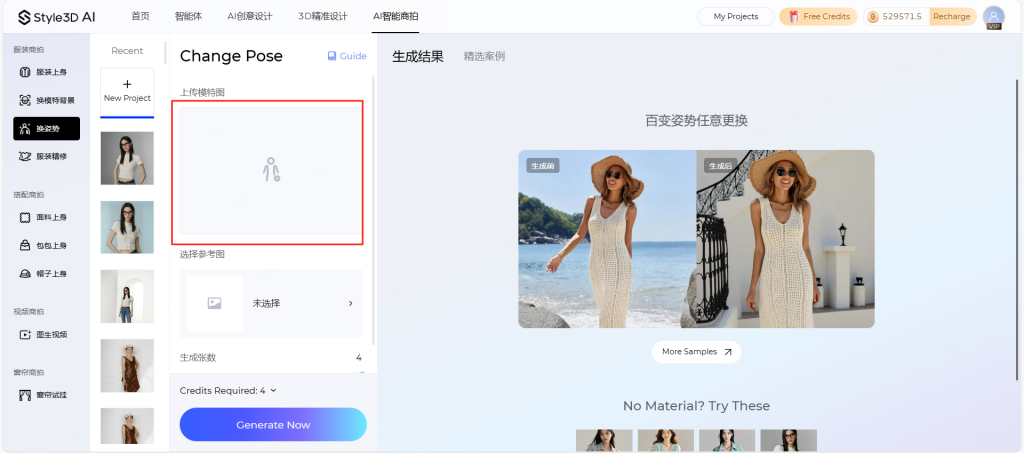
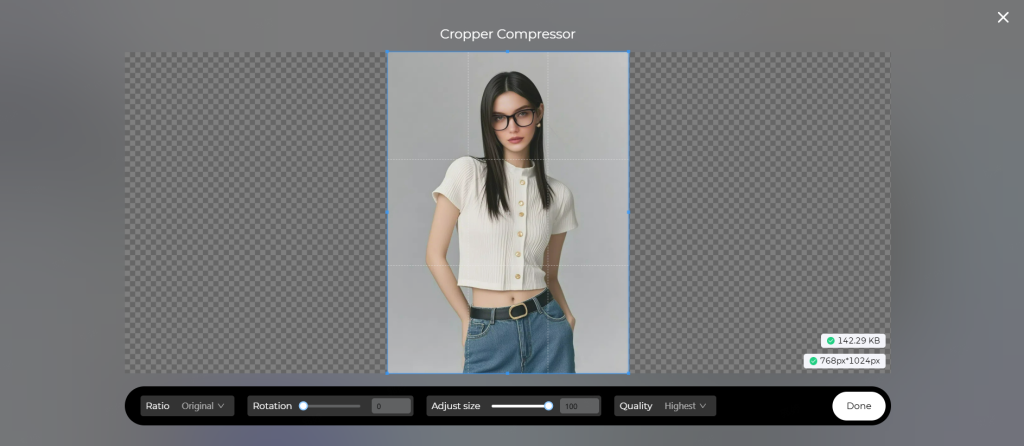
- Use the on-page editor to crop, resize, rotate, or adjust quality directly.
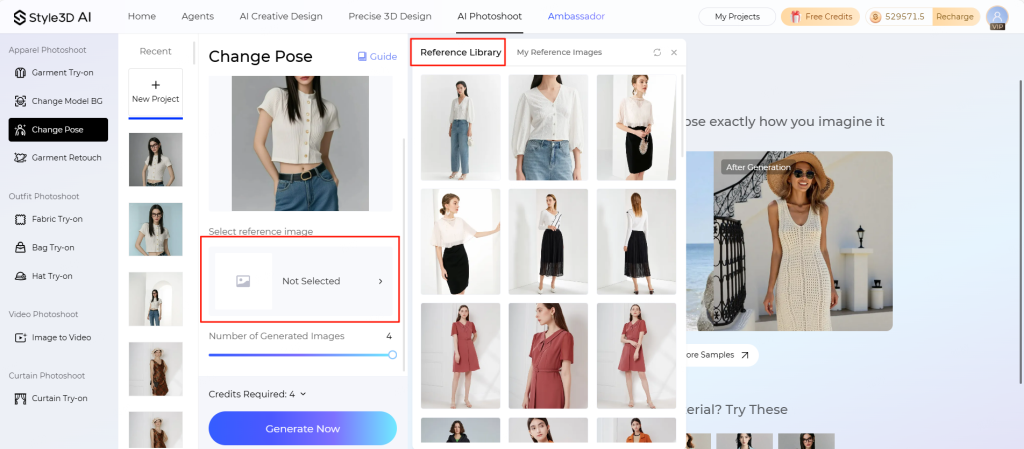
2.Choose the Pose Source
- Option A: Official Pose Library
- Click “Select Reference Image” → “Reference Library
- Option B: Custom Pose
- Click “Select Reference Image” → “My Reference Images“
3.Generate & Export
- Check generation settings if needed.
Click “Generate Now“.
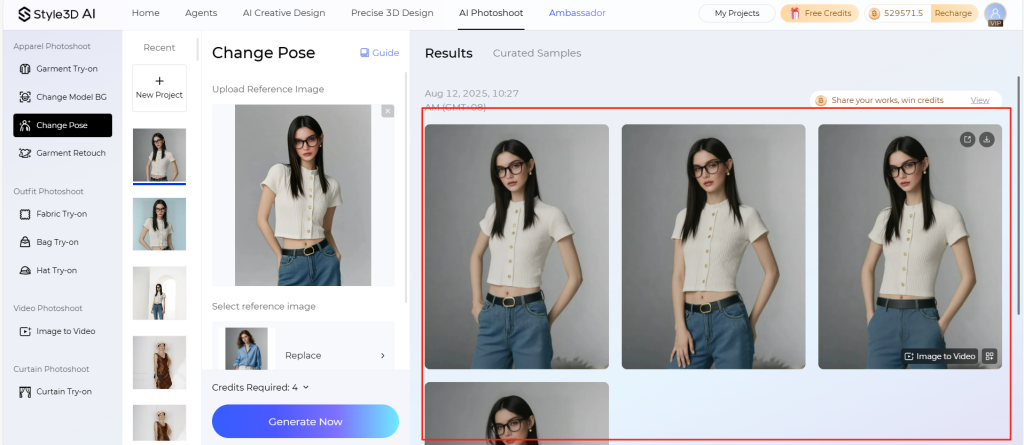
Once ready, download your image or keep editing in the web interface.
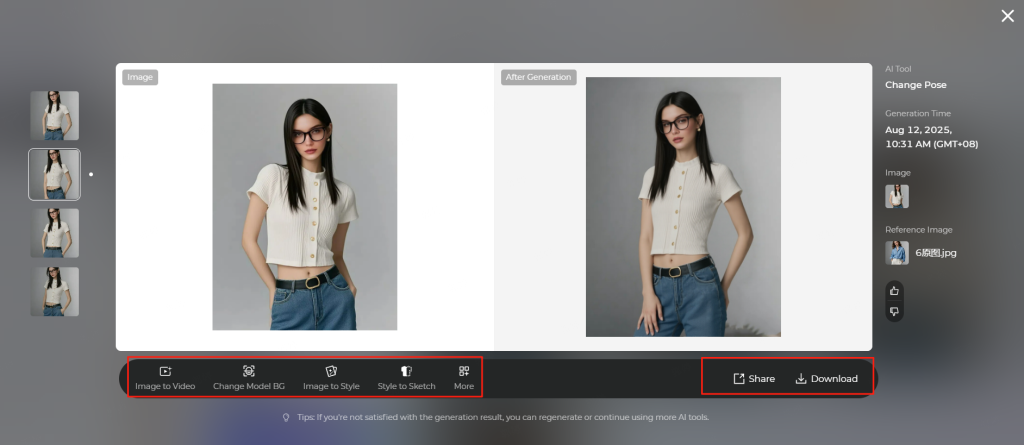
Important Notes
- Pose Compatibility: For best results, make sure the pose in your uploaded model image roughly matches the reference image. Extreme differences may affect realism.
- Facial Accuracy: The generated image will adopt facial features from the reference pose. Minor variations from the original model’s face are normal.
- Ethical Use & Compliance
- Do not transfer poses of real people into nude, violent, or harmful contexts.
- Only use reference images you have explicit rights to. Avoid celebrity photos or competitor content.
Start using Style3D’s immersive fashion experiences today to transform your fashion workflow and revolutionize your customers’ experience!
What is Style3D AI Change Pose and how does it work?
Style3D AI Change Pose is an AI-powered tool that allows fashion brands to alter model stances digitally. Users can select poses from a library or upload custom references. The engine preserves garment shape, drape, and wrinkles while generating realistic images, reducing the need for multiple physical photoshoots and saving time and production costs.
How can I apply custom poses to my product images?
Upload a reference image of the desired pose, then select “My Reference Images” in the editor. The AI replicates complex movements accurately while maintaining garment integrity. Ensure that the base model pose roughly matches the reference to achieve realistic results.
What types of poses are available in the official pose library?
The official library includes professional standing, sitting, and dynamic poses, ranging from elegant and casual to energetic or athletic. These can be applied instantly to base model images, enabling consistent visual storytelling for hero images, social media assets, and virtual model cards.
Does Style3D AI preserve fabric realism during pose changes?
Yes. The AI engine maintains garment shape, drape, and wrinkles, ensuring clothing appears natural and true-to-life. This feature allows designers to experiment with multiple poses without compromising visual fidelity, providing high-quality images for e-commerce or marketing campaigns.
How do I optimize image uploads for Change Pose?
Use JPG, JPEG, or PNG formats with a maximum file size of 20 MB. Crop, rotate, or adjust image quality using the on-page editor to ensure the base model aligns well with the chosen pose, which enhances realism and reduces generation errors.
Are there ethical guidelines for using AI pose generation?
Yes. Users should only use reference images they have rights to and avoid creating nude, violent, or harmful content. The tool is intended for ethical and professional fashion visualization, ensuring compliance with copyright and responsible creative standards.