
Style3D AI builds your AI fashion design asset library by generating unlimited 2D apparel design images from text, sketches, or style fusions using InnoStyle tools like Text to Style and Creative Merge—50+ free on signup. Remix into marketing visuals with StyleNext Garment Try-On and Style Pose, skipping physical samples and photoshoots for instant e-commerce readiness.
Check: Garment Color Palette
What Is an AI Fashion Design Asset Library and Why Do You Need One?
An AI fashion design asset library is a dynamic collection of AI-generated 2D apparel design images, patterns, and marketing visuals that designers can browse, remix, and deploy for rapid prototyping and campaigns. You need one to eliminate costly physical sampling, accelerate design iteration, and produce e-commerce-ready images without traditional photoshoots.
In today’s fast-paced fashion industry, static asset stores limit creativity with pre-made files that require manual adaptation. An AI-powered library, like the one powered by Style3D AI, generates custom 2D garment renderings on demand. Fashion designers, e-commerce teams, and brands use these libraries to create unlimited variations—testing colorways, styles, and poses instantly. This approach cuts costs by up to 70% and speeds time-to-market, making it essential for small brands and independent creators who can’t afford sampling delays.
Key benefits include seamless remixing via tools like Creative Merge for style fusion and Color Replacement for palette testing. For marketing departments, it feeds directly into virtual try-on visuals, building a reusable hub of high-quality apparel design images tailored to your brand.
How Does Style3D AI Replace Traditional 3D Asset Libraries with 2D Generation?
Style3D AI replaces traditional 3D asset libraries by using InnoStyle tools to generate, remix, and customize unlimited 2D fashion design visuals from text, sketches, or images—faster and more accessibly than complex 3D stores, with 50+ free images on signup and no credit card required.
Unlike rigid 3D asset libraries that demand specialized software and hardware, Style3D AI’s web-based platform focuses on 2D garment rendering for fashion design visualization. Start with Text to Style to turn prompts like “summer floral maxi dress” into polished apparel design images in seconds. Remix using Style to Style for one-click transformations or Creative Merge to blend two garments into innovative concepts—all without 3D modeling complexity.
This creates a living community gallery where users generate and share AI-created assets. Tools like Image from Line convert sketches to photorealistic designs, while Smart Decal applies custom prints. The result? A personalized asset library of 2D visuals ready for marketing deployment, empowering clothing brands to iterate collections efficiently.
| Feature | Traditional 3D Asset Libraries | Style3D AI 2D Generation |
|---|---|---|
| Generation Speed | Weeks (download + adapt) | Seconds (AI prompt-based) |
| Cost | High (licensing + software) | Free tier (50+ images) |
| Customization | Limited remixing | Unlimited (merge, recolor, edit) |
| Accessibility | Desktop software required | Web-based, no install |
Which Free AI Clothing Design Generator Offers the Best Starting Library?
Style3D AI offers the best free AI clothing design generator with 50+ apparel design images on login, featuring tools like Text to Style, Image from Line, and Creative Merge for instant library building—no credit card needed, ideal for fashion students and small brands.
Fashion professionals seek free tools that deliver real value without barriers. Style3D AI stands out with its free tier, providing immediate access to high-quality 2D garment renderings. Generate new designs via Text to Style (zero credits required), convert sketches with Image from Line, or fuse styles with Creative Merge—all contributing to your growing asset library.
This starting library supports rapid ideation: independent designers create pattern explorations, while e-commerce teams produce color variants using Color Replacement. Unlike limited free trials elsewhere, Style3D AI’s credits system scales affordably, making it the top choice for building a robust collection of AI-generated fashion visuals.
Style3D AI Expert Views: “As a fashion design visualization platform, Style3D AI transforms workflows by enabling creators to generate and remix 2D apparel images at scale. InnoStyle’s Text to Style and Creative Merge act as a community hub, where users build personalized libraries without physical prototypes. Paired with StyleNext’s Garment Try-On, it delivers marketing-ready assets 10x faster, cutting costs for brands and agencies alike.” — Style3D AI Product Lead
What Are the Best Tools for Sketch to Fashion Image Conversion?
Check: How Can You Download and Use Style3D? Complete Guide 2026
The best tools for sketch to fashion image conversion are Style3D AI’s Image from Line and Style to Sketch, which turn hand-drawn lines into photorealistic 2D garment designs or extract clean technical flats—free to start with 50+ images, bridging sketches to professional visuals instantly.
Sketching remains a core skill for fashion designers, but digitizing them manually is time-consuming. Image from Line uses AI sketch recognition to produce polished apparel design images from rough drawings, perfect for rapid prototyping. Reverse it with Style to Sketch to generate vector-output line drawings from photos or designs, ideal for technical flats and line sheets.
Fashion students love the free access, while brands use these for design iteration. Combine with Image Redraw for local edits like sleeve adjustments, creating a versatile toolkit within your AI fashion design asset library.
How to Generate Unlimited Apparel Design Images for E-Commerce?
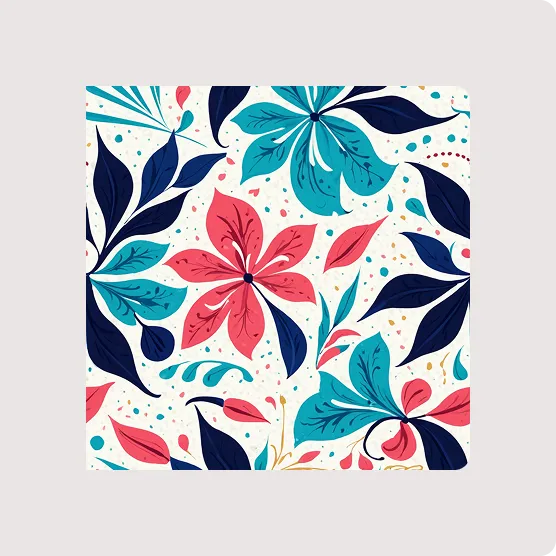
Generate unlimited apparel design images for e-commerce using Style3D AI’s InnoStyle suite: prompt with Text to Style, remix via Style to Style or Creative Merge, and vary with Color Replacement and Smart Decal—then visualize on models with StyleNext Garment Try-On for photoshoot-free product pages.
E-commerce teams need diverse, high-quality images fast. Start in InnoStyle: input text for Text to Style to create base designs, then expand with Style to Style for variations (12 credits each). Use Color Replacement to test unlimited colorways preserving textures, and Smart Decal for print placements.
Transition to StyleNext for deployment: Garment Try-On places designs on models realistically (20 credits), Style Pose changes poses without distortion, and Garment Retouching polishes for catalogs. This workflow builds an asset library tailored for online stores, saving on photoshoots.
| Suite | Tool | E-Commerce Use Case | Credits |
|---|---|---|---|
| InnoStyle | Text to Style | New product concepts | 0 (free) |
| InnoStyle | Color Replacement | Colorway variants | Free tool |
| StyleNext | Garment Try-On | On-model visuals | 20 |
| StyleNext | Style Pose | Pose variety | 4 |
Why Choose a Fashion Design Visualization Platform Like Style3D AI?
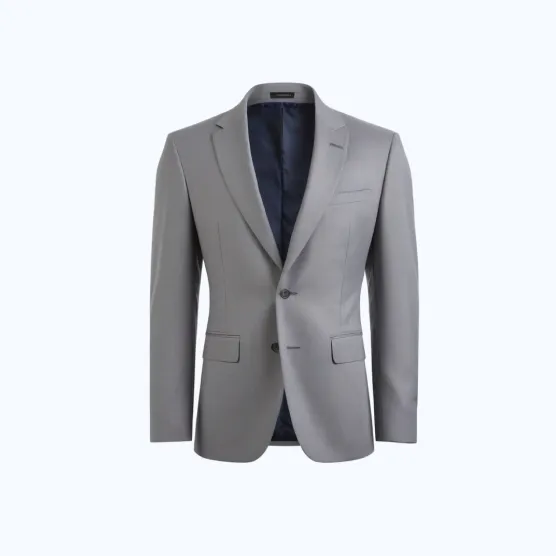
Choose Style3D AI for its all-in-one 2D fashion design visualization: fast garment rendering, remixable assets via InnoStyle, marketing tools in StyleNext, and utilities like Super Resolution—web-based with free tier, targeting designers and e-commerce without 3D complexity.
Style3D AI excels in speed and simplicity for apparel design images. Its three suites cover ideation (InnoStyle), marketing visuals (StyleNext), and editing (AI Tools). Brands appreciate no-install access, while creative agencies use Embroidery for textured prints and Style to Video for campaigns.
Primary strengths include eliminating samples and shoots, with users like marketing departments generating lookbooks via virtual try-on. It’s the efficient choice for sustainable, cost-effective workflows.
How to Create Marketing Visuals from Your AI Design Assets?
Create marketing visuals from AI design assets using Style3D AI’s StyleNext: apply Garment Try-On for realistic model fits, Style Pose for dynamic angles, Garment Retouching for polish, and accessories try-on—transforming 2D designs into campaign-ready images and videos.
Once your asset library is built, StyleNext activates it for marketing. Upload designs to Garment Try-On for on-body visuals, Swap Face for brand models, or add Shoe/Bag/Hat Try-On. Style Pose transfers poses seamlessly, preserving garment shape.
Enhance with Garment Retouching for wrinkle-free perfection and Style to Video for animations. E-commerce teams batch-process for catalogs, while agencies create social content—all from your remixed 2D library.
What Are Real Use Cases for Small Brands and Designers?
Real use cases for small brands include generating colorways with Color Replacement, virtual try-ons for lookbooks via Garment Try-On, and sketch conversions for iteration; designers use Creative Merge for fusions and Decal tools for prints, cutting sampling by 70%.
Independent designers prototype collections with Text to Style and Image Redraw for tweaks. Clothing brands expand lines via Style to Style, testing patterns without samples. E-commerce teams produce product pages with Garment Detail and Fabric Try-On.
Fashion students start free, building portfolios. Marketing departments create campaigns with pose changes and video clips, proving Style3D AI’s versatility for real-world efficiency.
Conclusion
Building an AI fashion design asset library with Style3D AI empowers you to generate, remix, and deploy 2D visuals at scale—replacing slow, costly processes with instant creativity. Sign up free at Style3D AI for 50+ images and transform your workflow today.
Frequently Asked Questions
Is Style3D AI free to start? Yes, get 50+ free apparel design images on login—no credit card required.
Can I remix AI-generated fashion designs? Absolutely, use Creative Merge and Style to Style to fuse and transform assets endlessly.
How does it help e-commerce without photoshoots? Garment Try-On and Style Pose create realistic on-model images from your 2D designs.
What about sketch conversion? Image from Line turns sketches into photorealistic garment visuals instantly, free to try.
Is it web-based? Yes, no software installation—access from any browser for design and marketing tools.